
An AI agent wrote a scanner driver and fixed a laptop camera: how the method works and where the human fits in
Topics: AI, Automation
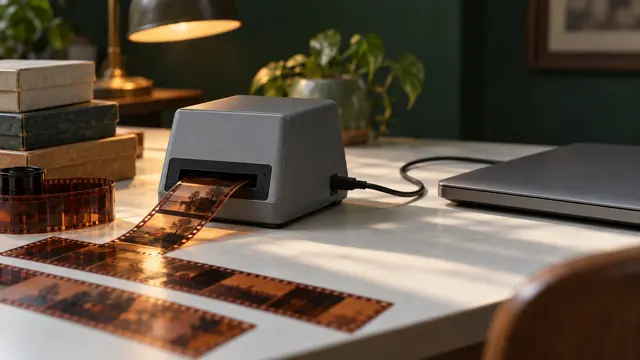
The short answer: in the digest this story was retold as "Researchers from the Uraeus project showed how neural networks can analyse chips without documentation and recreate their architecture". The source says something else. It is a blog post by developer Christian Schaller dated 15 October 2026. With the AI agent Claude Code he built a Linux driver for a film scanner that had no driver, and a set of fixes for his laptop's camera. For the scanner the method is simple in principle: record how the device talks to the computer under Windows with the original driver, record the same with your own driver under Linux, and have the AI compare the two recordings. For the built-in camera, which cannot be tapped that way, the AI studied information about it from the Windows side and compared recordings from it with recordings from a USB camera connected alongside. The author checked the results himself on real hardware.
Where the news comes from
There is one source: a post by Christian Fredrik Kalager Schaller on his blog on the GNOME site, "Using Artificial Intelligence to reverse engineer hardware". The digest named Hacker News as the source, where this post was discussed; I have not read that discussion. I read the post itself and the page of his hw-harness tool on GitHub. I did not run or check the code and patches.
How it started
After his mother died, the author was left with a box of old film negatives. He bought a Plustek OpticFilm 8200i scanner because a model with that name was supported on Linux, and discovered that the newer version of the scanner had a different controller, the Genesys GL128, which Linux did not support. He decided that Claude would help him write a driver for SANE but, in his words, got stuck for a long time and dropped the idea for several months.
What brought him back was a post on X by developer Tom Crider (GloriousEggroll): he had fixed a mouse driver by giving an AI agent full access to Windows to collect the data it needed. Schaller asked Claude to help him set up a Windows virtual machine the same way, that is, a separate copy of Windows running inside a program on his Linux computer. The author believes that both the recording of the exchange with the device and, probably, improvements in Claude Code helped. In his words, within a few hours he had the first working scan under Linux, with quality flaws but recognisable, and within a few days an almost finished driver with infrared scanning. At that point it turned out that in the meantime other people had already added support for this scanner to the SANE project (a set of scanner drivers for Linux).
How the method works
The author describes four steps of his hw-harness tool:
- Reference recording. The manufacturer's original driver runs under Windows in a virtual machine, and the real device is passed directly to it.
- Recording from outside. The USB data exchange is recorded on the main Linux machine with the usbmon program. It sits below the layer through which the device is passed to the virtual machine, so Windows does not see it.
- Replay. The same action is performed under Linux with your own driver and recorded the same way.
- Comparison. Both recordings are made with one tool, so they can be compared directly. The differences, in the author's words, are the list of driver bugs.
For devices whose bus cannot be tapped (for example, a built-in camera), the tool instead studies information from the Windows side: driver installation files, the registry, ACPI tables and device properties.
The author explains why AI fits here: writing a driver for an undocumented device is slow and tedious. You have to look at hex dumps, guess what each register does and test the guesses one by one, usually for weeks. A model can read thousands of lines of a recording, notice that a sequence repeats with one byte changing, suggest what that byte means and write a test. A human decides what to build and checks it on real hardware.
Separately, the author writes that the method does not copy anyone's code: it observes what the device does and takes only configuration data from the Windows drivers, so every constant in the new driver can be traced back to something recorded.
What came out and the numbers
- Scanner driver. Colour, greyscale and infrared modes, resolutions from 300 to 7200 dpi, dust and scratch removal using the infrared channel. The author compared it with the driver that appeared in SANE in September 2026: both resolve equally fine detail at 3600 dpi, his driver is faster at full resolution (34.6 seconds versus 54.4), and the SANE driver has more resolution steps. The author himself warns that this is one copy of the scanner and one frame, that is, a single data point, and expects that everyone, him included, will use the SANE driver once it catches up in features.
- Laptop camera. On the ThinkPad X1 Carbon Gen 14 the camera produced a dark picture under Linux with shaded edges and a yellow-green tint. The author gave the agent the task in the morning, and by evening fixes for the Linux kernel and the libcamera library were ready. The list of fixes has five items, among them a wrong gain limit that cost about 1.8 stops of sensitivity, and completely missing lens shading correction, which left the corners about 2.7 stops darker. In a low-light test the average frame brightness rose from 31.1 to 90.9. Blue is still about 17% short in low light. The author sent the kernel fixes to the developers; the libcamera fixes, in his words, are under review.
What the author does not claim
Schaller says plainly that he does not consider the scans or the camera perfect: the scanner produces decent scans, and the camera looks much better than before. He did not use the hw-harness tool in its current form in these projects himself: it is an attempt to turn his one-off scripts into a general tool. And his main conclusion about the human's role: AI is good at the tedious part, but holding the hardware and checking the result is the human's job, "real hardware is the only judge".
What this means if you have hardware without drivers
This is my conclusion from the post, not the author's words.
If a company has a scanner, machine tool or sensor that only works with an old Windows driver, this approach may cut manual work. But the post describes the experience of one person with engineering skills and two devices, not a proven method for any hardware. First ask the manufacturer whether there is a driver for your system: that is cheaper than any in-house development. If there is no driver and the company has a developer who can set up a virtual machine and USB recording, they can try the author's method on a separate computer, not a production one: in this setup the agent controls the virtual machine and the drivers. Whether the new driver is ready is checked on the real device against three points. First: the normal working operation, for example scanning film, runs without failures several times in a row. Second: the quality satisfies the people who use the result, by their own requirements (resolution, colour, noise). Third: the result gets where it is needed, for example the file opens in the program the department works with. If even one point is not met, the driver is not ready, and the device keeps working as it does now, on a Windows computer with the original driver.
How to read news like this. Look at who the source is: here it is a developer's personal blog, not a study. The author gives the numbers with caveats and warns himself that they were obtained on a single unit; I have not checked them.
Summary
Christian Schaller used Claude Code to build a Linux driver for a scanner, by comparing recordings of the exchange with it under Windows and under Linux, and fixes for a laptop camera, using information from the Windows side and comparison with a USB camera. In the author's words, AI took over the tedious part: decoding the recordings, trial requests to the device and checking constants. The author decided what to do, and he also checked the result on real hardware. The results are described on a single unit of each device, and the author calls them not perfect but noticeably better than before.
See also another piece in this section: Local AI on your own computer.
I work on AI agents and automation. If you would like to see my projects or discuss your own task, take a look at my portfolio.
Sources
- Christian Fredrik Kalager Schaller, blog on blogs.gnome.org, 15.10.2026: Using Artificial Intelligence to reverse engineer hardware. https://blogs.gnome.org/uraeus/2026/10/15/aiandreverseengineerhardware/
- hw-harness on GitHub. https://github.com/cschalle/hw-harness